

PPM Management
In short
PPM Management automates planned preventive maintenance in CAFMTEK. Define recurring tasks by asset, location or asset group at any frequency, and the system converts them into assigned work orders on schedule. It includes bulk upload of annual plans, a visual calendar planner and overnight generation of the next day's tasks.
Planned maintenance fails for a boring reason. Someone has to remember it.
PPM Management removes that. You define the schedule once, and the system generates the work orders. Nothing depends on a supervisor checking a spreadsheet on a Monday.
Defining a schedule
Schedules are set by asset, by location or by asset group. Grouping matters when fifty identical units need the same quarterly service. You define the group once rather than fifty separate schedules.
Frequencies run daily, weekly, monthly and yearly.
What it includes
- Bulk upload: An annual maintenance plan can be loaded in one go rather than entered task by task.
- Visual calendar planner: The whole month across every contract, so workload is visible before it lands.
- Overnight generation: The next day’s tasks are created and assigned automatically.
The calendar planner is worth using before go live rather than after. Once schedules are in the system it will generate every job on time, which is the point. If that produces more jobs in a week than the team can complete, people start closing jobs without doing them, and the data stops meaning anything within a month.
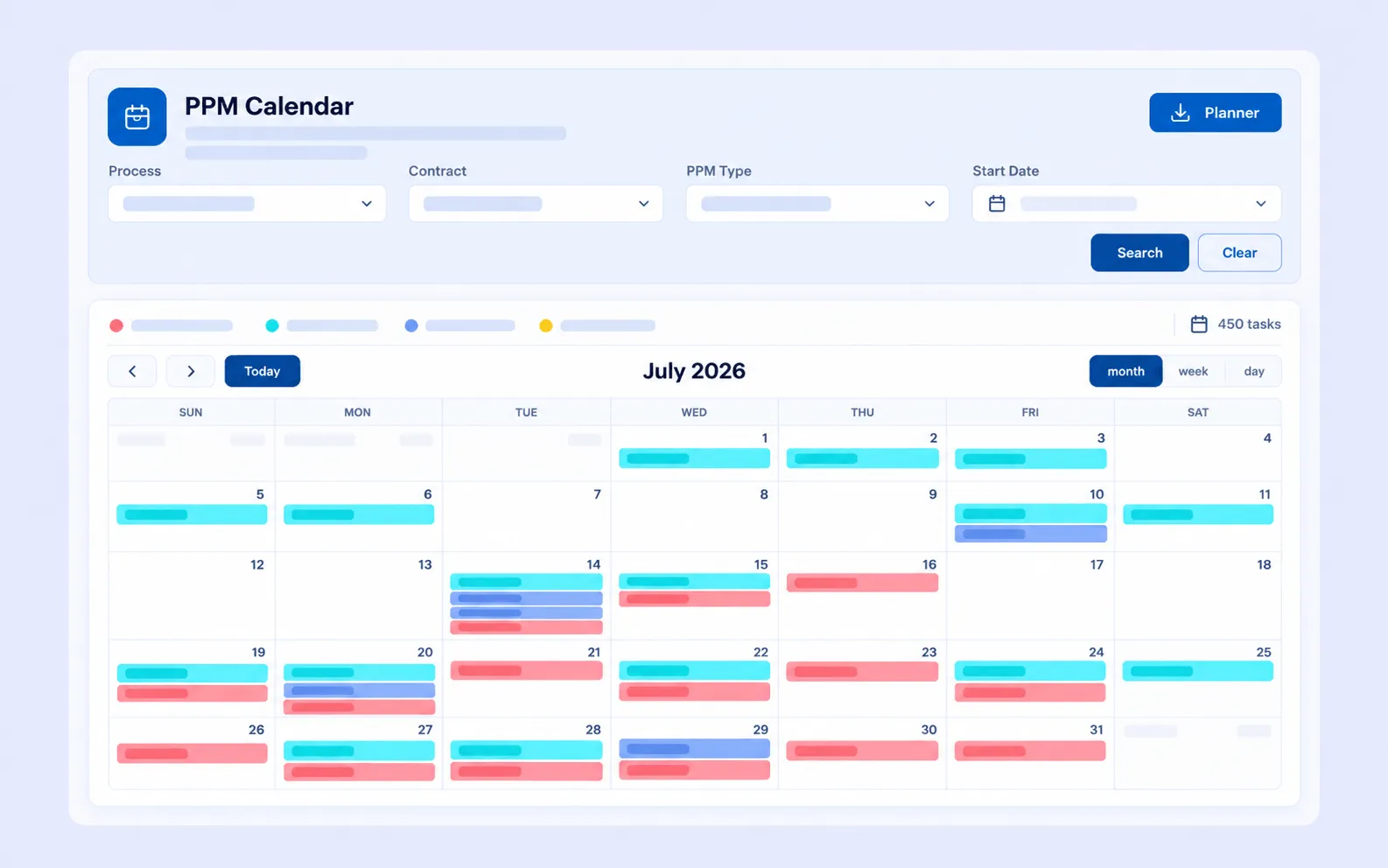
Planned maintenance scheduled by asset, location or asset group, with the system generating and assigning the work orders.
How it connects to other modules
- Asset Management supplies the assets and asset groups a schedule applies to.
- Task Management receives the generated work orders.
- Suggested PPM intervals reads each asset’s fault history and recommends whether a frequency should be longer or shorter.
- SLA & KPI Management measures PPM completion against the contract.
Frequently asked questions
What frequencies are supported?
Daily, weekly, monthly and yearly.
Can an annual plan be loaded in bulk?
Yes. Annual maintenance plans can be uploaded in one go.
Are the jobs created automatically?
Yes. The next day’s tasks are generated and assigned overnight.
Can a schedule cover several assets at once?
Yes. Schedules can be set by asset group as well as by individual asset or location.
Related pages
- Building the schedule: How to Build a PPM Schedule
- Suggested PPM Intervals
- Asset Management
- Planned vs Reactive Maintenance