

Asset Management
In short
Asset Management is CAFMTEK's master register of everything you maintain. Each asset carries a code, a full classification, a criticality rating, its place in both the equipment and location hierarchies, attached documents and a live maintenance history. Every work order, inspection and PPM plan points back to it.
The asset register answers four questions a facility team is asked constantly: what do we own, where is it, how critical is it, and when was it last serviced.
Everything you maintain sits here as a single record. Chillers, pumps, lifts, distribution panels and the rest. Because every work order, inspection and PPM plan references that record rather than a free text description, the maintenance history stays with the asset over its whole life instead of being spread across spreadsheets and email.
What each asset record holds
- A unique asset code: One identifier used everywhere in the system.
- Full classification: Category, sub category, type and class, so assets can be grouped and reported consistently.
- Criticality and risk rating: Scored on a defined matrix rather than by opinion, which is what drives PPM frequency and job priority.
- Two hierarchies: Its place in the equipment hierarchy as a parent or child component, and its place in the facility location hierarchy.
- Documents: Manuals, certificates and drawings attached to the record.
- Live maintenance history: Every repair and PPM visit recorded against the asset.
Beyond the register
- Financials and yearly valuation: Asset value tracked over time.
- Statutory compliance obligations: Recorded against the assets they apply to.
- Movements and transfers: When an asset moves between locations, the record moves with it.
- Physical verification audits: Site checks that reconcile what is recorded against what is actually there.
- Asset groups: Assets bundled together for combined PPM scheduling.
- QR and barcode labels: Generated per asset so a technician can reach the record while standing in front of the equipment.
- Bulk import and label printing: Assets created or updated in bulk from Excel.
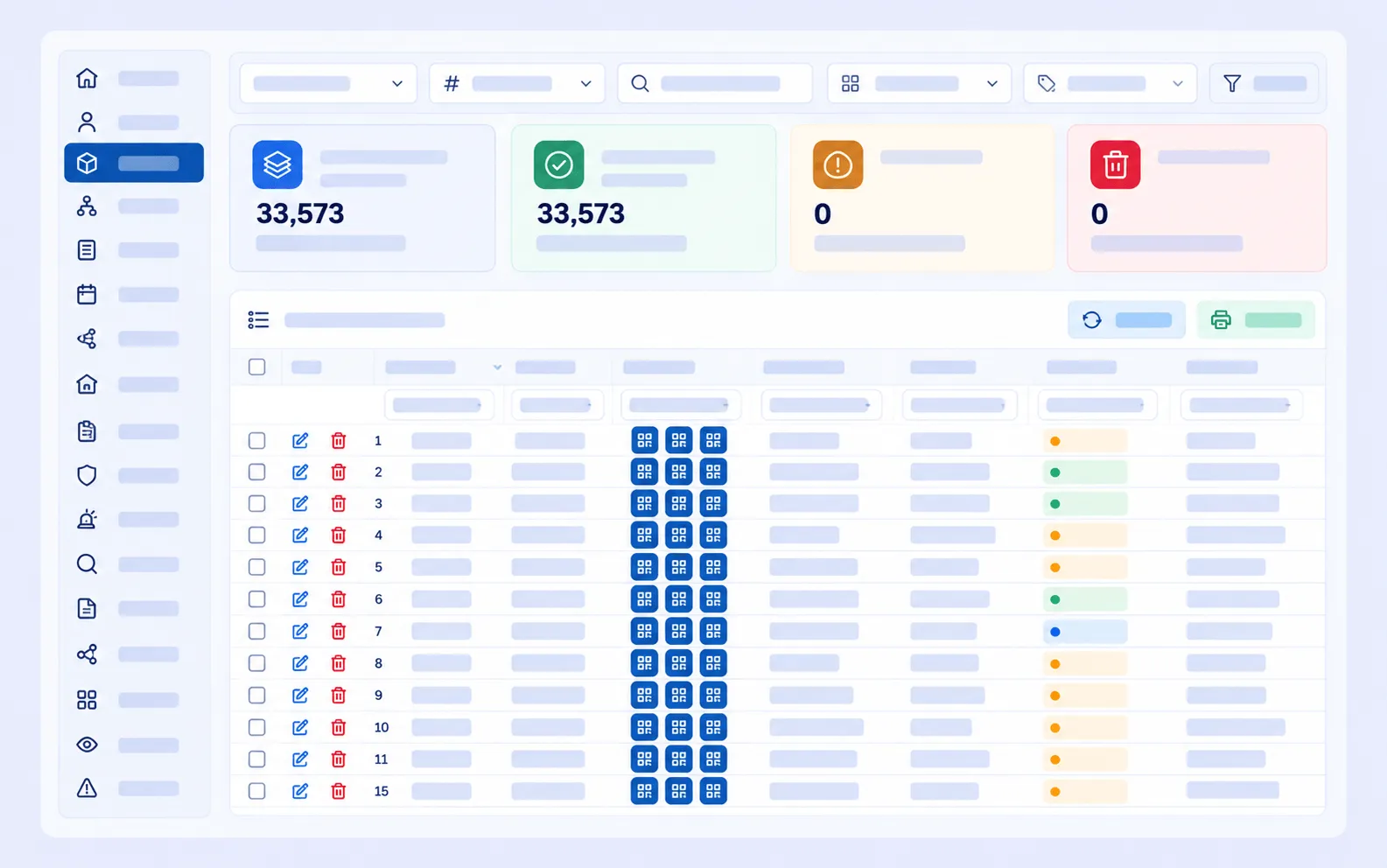
The asset register, with classification, criticality rating, location hierarchy and QR or barcode labels on every record.
How it connects to other modules
- Facilities Management defines the location hierarchy that every asset is placed in.
- PPM Management schedules maintenance by asset, location or asset group.
- Task Management links every work order to the asset it was raised against.
- Fault detection and diagnostics raises alarms against a specific asset and creates the work order automatically.
- Suggested PPM intervals reads each asset’s fault history to recommend how often it should really be maintained.
Frequently asked questions
Does every asset need a QR code?
Not necessarily every one, but tagging anything that gets maintained regularly makes updates much more likely to happen, because the technician can reach the record while standing in front of the equipment.
Can assets be loaded in bulk?
Yes. Assets can be created or updated from an Excel import, and labels can be printed in bulk.
What is the difference between the equipment hierarchy and the location hierarchy?
The equipment hierarchy records parent and child components, such as a chiller and its compressor. The location hierarchy records where the asset physically sits, such as site, building, floor and plant room. Every asset has a place in both.
How does criticality affect maintenance?
Criticality is rated on a defined matrix and drives how often an asset is maintained and how urgently a job against it is treated.
Related pages
- Setting up the register: How to Set Up a CAFM Asset Register
- PPM Management
- Facilities Management
- Data Needed Before CAFMTEK Go-Live