

Quick answer
CAFMTEK uses IoT sensor data and AI to catch equipment problems early. When a reading goes outside its set limit, it raises an alarm, creates a work order and assigns it to a technician with the right skills. It also flags equipment showing early signs of failure, and suggests PPM intervals from each asset's fault history. All of this is included as standard.
Most facility teams already know when something has failed. The call comes in, someone goes to look, and the job gets logged afterwards. The harder part is knowing before it fails, and getting the right person there without three phone calls in between.
That is the job AI and IoT do in CAFMTEK. This post covers what each one contributes, what happens step by step when a fault is detected, and what you need in place for any of it to work.
What does AI actually do in facility management?
AI (artificial intelligence) is useful in facility management for one main reason: it can watch far more data than a person can, all the time, and notice patterns in it.
In practice that means three things. It spots equipment behaving differently from normal. It works out which assets fail most often, and when. And it takes routine decisions, such as who should get a job, off a supervisor’s desk.
It does not replace the technician or the facility manager. It changes when they find out about a problem, and how much of the admin they do by hand.
What does IoT add?
IoT (Internet of Things) is the part that feeds the AI. Sensors on equipment report readings such as temperature, energy use and electrical load, continuously rather than when someone walks past.
Without sensor data, AI in a CAFM system can only learn from work orders after the fact. With it, the system sees the problem forming.
If you are at the stage of comparing systems, our guide on how to choose CAFM software in the UAE covers what to check and what to ask vendors.
How CAFMTEK uses AI and IoT
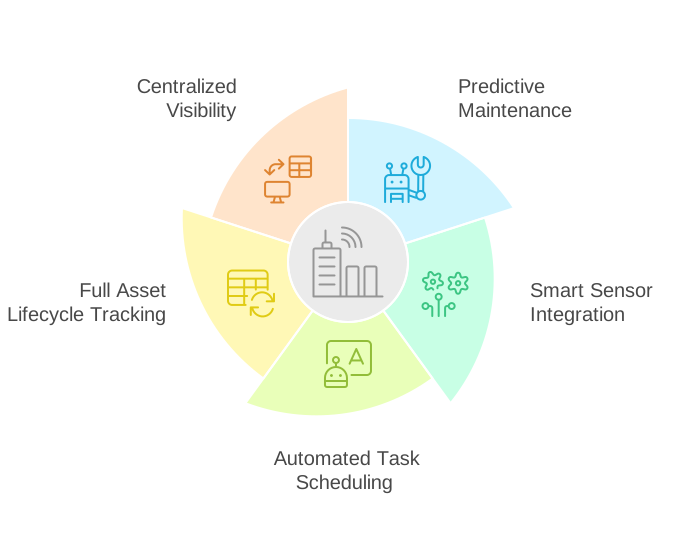
CAFMTEK applies AI and IoT to daily facility tasks in four specific ways.
1. Fault detection and diagnostics
Each sensor reading has a set limit. When a reading crosses it, CAFMTEK raises an alarm and creates a work order straight away. Nobody has to notice the alarm and log a job by hand. How fault detection and diagnostics works has the full detail.
2. Predictive maintenance and anomaly detection
Some failures give warning signs well before they cross a limit. CAFMTEK scores HVAC equipment for its likelihood of failure. On main distribution boards, it watches readings such as energy use, current, voltage, load and power factor, compares them with the expected range, and flags anything unusual along with its likely cause. The point is to plan the repair before it becomes a breakdown.
3. Suggested PPM intervals
Most PPM schedules come from manufacturer manuals and never change. CAFMTEK looks at each asset’s own fault history and suggests how often it should really be maintained. An air handling unit that keeps failing gets more attention. One that never does may be over-serviced.
4. Automatic job assignment
When CAFMTEK creates a work order, it assigns it to a technician with the skills the job needs. Supervisors see the job already moving, rather than having to route it.
What happens when a sensor detects a fault?
Step by step:
- A sensor reading crosses its set limit.
- CAFMTEK raises an alarm.
- It creates a work order automatically, linked to the asset.
- It assigns the job to a technician with the right skills.
- The technician completes the work using the CAFMTEK mobile app.
- The alarm closes, and the job is recorded against the asset’s history.
That last step matters more than it looks. Every closed job becomes part of the fault history that the suggested PPM intervals are based on.
Which systems does CAFMTEK connect to?
CAFMTEK receives data from IoT sensors and smart meters, which drives fault detection and predictive maintenance. It also integrates with building management systems (BMS), with ERP systems for procure-to-pay, and with HRMS through its time and attendance (T&A) module. Other integrations are scoped for each project.
Are the AI features an extra cost?
No. Fault detection and diagnostics, predictive maintenance and anomaly detection, and suggested PPM intervals are all included in CAFMTEK as standard. They are not sold as add-ons.
What do you need before the AI features are useful?
This is the part most vendors skip. AI is only as good as what it learns from.
Sensors on the equipment you care about. Fault detection and anomaly detection need live readings. Start with the assets whose failure costs you most, usually HVAC and electrical distribution.
A clean asset register. A work order raised against the wrong asset, or against an asset with three different names, teaches the system nothing useful.
Time. Suggested PPM intervals come from fault history, so they get better as history builds up. The first months are about recording jobs properly. The value comes after that.
Our guide on what to prepare before a CAFM go live covers the data side in detail.
What else does CAFMTEK include?
The AI features sit on top of the everyday CAFM work:
- Mobile apps for technicians on Android and iOS, for receiving, updating and closing jobs on site
- Dashboards showing task progress and SLA performance across sites
- Service requests from tenants and staff through a customer app or a WhatsApp chatbot
- A full asset history, so every repair and PPM visit stays with the asset
For the full picture, see the CAFMTEK product page.
Further Reading: 10 Benefits of Using CAFM Software for Smart FM