


Quick answer
CAFM implementations usually fail for reasons that have nothing to do with the software. The common causes are unclear goals, poor asset data at go live, no internal owner, technicians left out of the design, trying to copy broken processes into a new system, doing too much at once, and treating training as a single event. Almost all of these are decided before anyone logs in.
The uncomfortable part
When a CAFM rollout goes badly, the software usually gets the blame. Sometimes that is fair. More often the system does what it was asked to do, and the problem sits somewhere in how the project was set up.
That is actually good news, because it means most of the risk is under your control rather than your vendor’s.
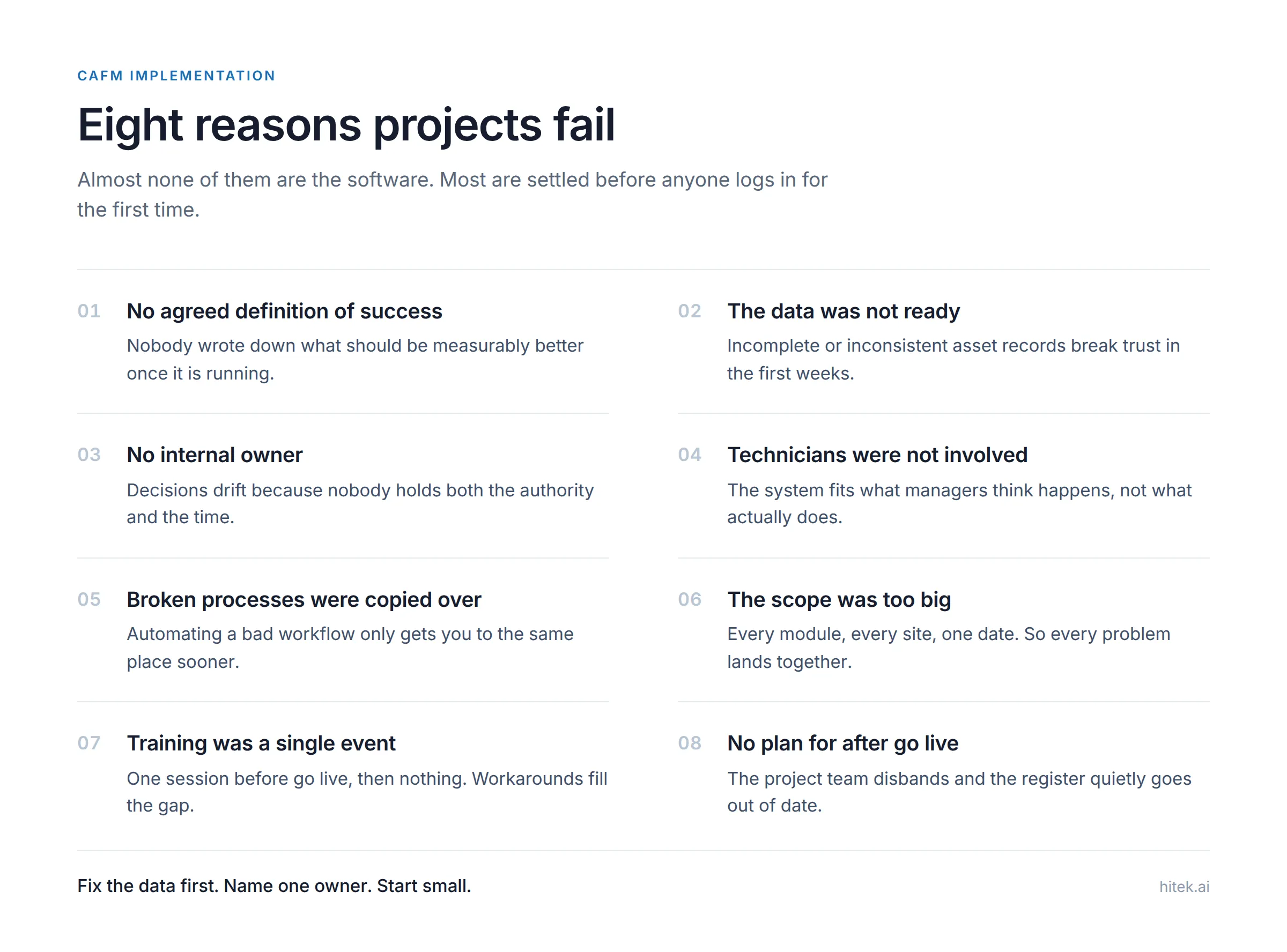
1. Nobody agreed what success looks like
Plenty of projects start with “we need a CAFM system” and never get more specific.
Without a definition of what is supposed to improve, every decision becomes a matter of opinion, and at the end nobody can say whether it worked.
Before you shortlist vendors, write down three or four things that should be measurably different afterwards. Something like: PPM completion recorded properly instead of on paper, reactive jobs assigned within a set time, a compliance report available without a week of chasing.
Keep it short. Three real measures beat twenty aspirations. If you are not sure which measures matter, our guide to maintenance KPIs is a reasonable starting point.
2. The data was not ready
This is the most common practical failure, and it is entirely predictable.
A CAFM system is only as good as the asset and location data inside it. If the register is incomplete, duplicated, or full of inconsistent location names, the system produces nonsense from day one. Technicians stop trusting it within weeks, and once trust goes it is very hard to get back.
Data preparation is usually the longest task in the project and the one most often underestimated. Start it before you have chosen a vendor, because good data is useful whichever system you pick.
Our guide on how to set up a CAFM asset register covers what this involves, and what data you need before go live lists everything else a system needs on day one.
3. There was no internal owner
A vendor can configure a system. A vendor cannot make your organisation use it.
Projects without a named internal owner drift. Decisions sit unanswered, the configuration reflects whoever shouted loudest, and after go live nobody is responsible for the thing working.
The owner needs enough authority to make decisions and enough time to actually do it. Giving the role to someone already at capacity, as an addition to their day job, is a common way to guarantee the drift.
4. Technicians were not involved
This one causes quiet failure rather than loud failure.
If the people doing the work were not consulted, the system ends up designed around what managers think happens rather than what actually happens. Job types do not match real work. Required fields ask for information the technician does not have while standing in a plant room. Completing a job takes longer than doing it.
The result is not open rebellion. It is technicians doing the work, then filling in the system afterwards from memory, or not at all. Your data quietly becomes fiction while the dashboard looks fine.
Involve two or three technicians in the design, let them test the mobile workflow before go live, and act on what they say.
5. Broken processes were copied into the new system
If your current approval process takes four signatures and nobody knows why, automating it gives you a faster version of the same problem.
A new system is one of the few moments when an organisation will accept process change. Use it. Ask why each step exists and whether it still needs to.
The opposite mistake also happens. Some teams abandon everything they did before and adopt the vendor’s default way of working without checking whether it suits them. The useful path is in between: keep what works, question what does not.
6. The scope was too big
Trying to roll out every module, across every site, on one date is how projects collapse.
Everything goes live at once, so every problem arrives at once, and the team is firefighting instead of learning. Confidence drops fast.
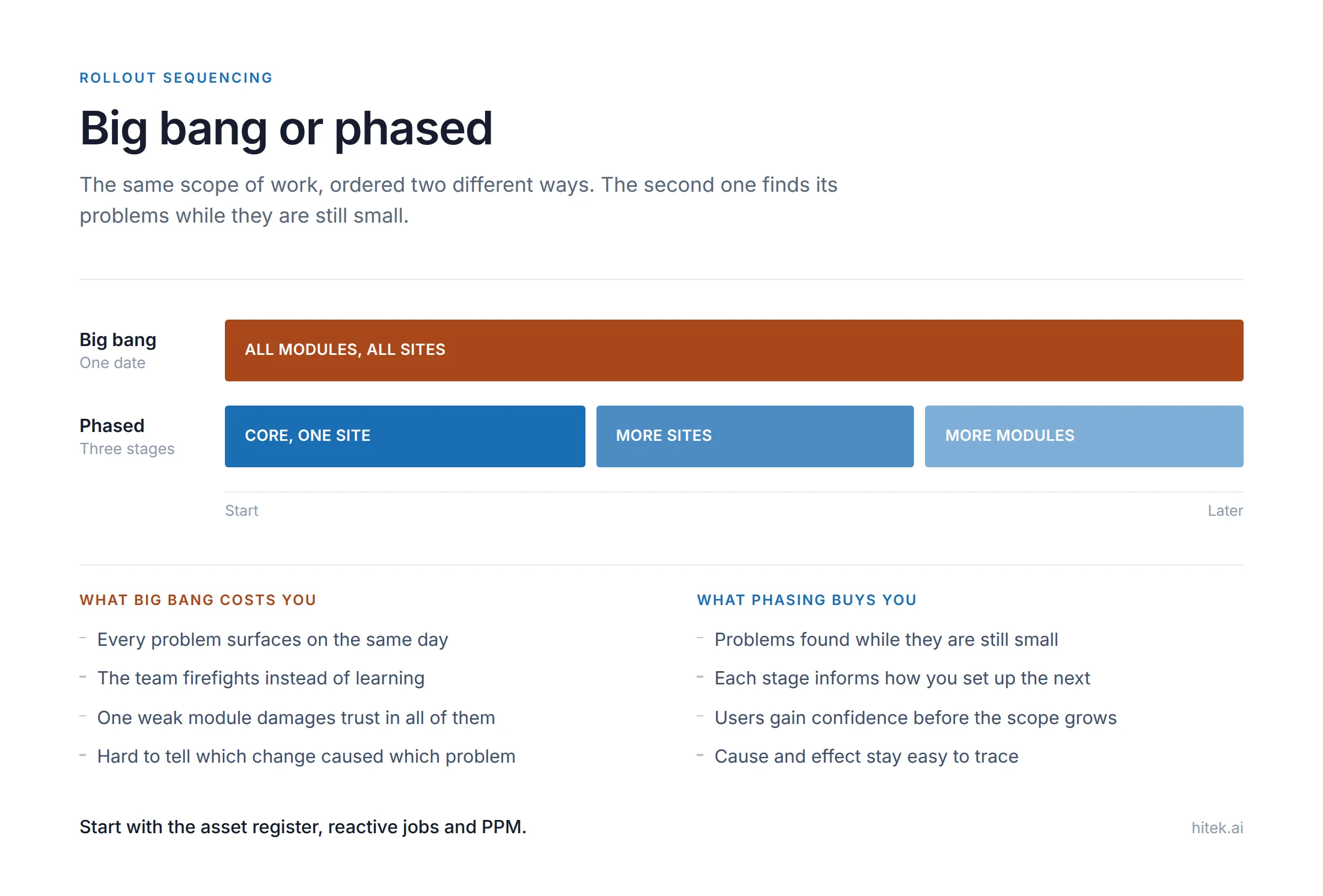
A safer pattern is to start with the core, usually the asset register, reactive jobs and planned preventive maintenance, at one site or one building. Get that stable and trusted. Then add modules and sites.
It feels slower. It is usually faster, because you are not fixing eight things simultaneously while people lose faith.
7. Training was a single event
A one-day session before go live, then nothing, is not a training plan.
People forget what they learned before they needed it. New staff arrive with no training at all. Nobody knows who to ask when something is confusing, so they invent a workaround, and the workaround spreads.
What works better: short role-specific sessions rather than one generic session for everyone, a few one-page guides for the tasks people do most, named people who know the system well and are available to ask, and a refresher a few weeks after go live once real questions have surfaced.
8. There was no plan for after go live
Go live is treated as the finish line, the project team disbands, and the system is left to run itself.
Six months later the asset register is out of date because nobody was made responsible for updating it, reports nobody reads are still being generated, and settings that should have been adjusted never were.
Decide before go live who owns the system afterwards, who keeps the data current, and when you will review whether it is doing what you wanted.
Warning signs during the project
Worth watching for. Any of these usually means something needs addressing now rather than at go live.
- The data migration keeps slipping while the go live date does not move
- Decisions are being made by the vendor because nobody on your side will decide
- The people who will use the system daily have not seen it yet
- Nobody can state what will be measurably better afterwards
- Training is scheduled for the week before go live and nowhere else
- The project plan has no tasks after the go live date
What actually reduces the risk
Nothing on this list is complicated. It is mostly about sequencing and ownership.
Fix the data before you configure anything. Name one owner with real authority. Involve the people who will use it. Start small and expand. Plan training as a continuing thing. Write down what success means, then check against it three months later.
Vendors can help with all of this, and a good one will push you on it. But the decisions are yours, and so are the consequences.
For the sequence a typical rollout follows, see our implementation phases page.
Frequently asked questions
What is the single biggest cause of CAFM implementation failure?
Poor data. A system loaded with an incomplete or inconsistent asset register produces unreliable output from day one, and users stop trusting it quickly. Most other causes are recoverable. This one undermines everything else.
How long should a CAFM implementation take?
It depends on the size of the estate, the state of your data and how many modules you are rolling out. The data preparation usually takes longer than the software configuration. Be suspicious of any timeline that does not include a substantial data phase.
Should we roll out everything at once?
Usually not. Starting with core functions at one site lets you find problems while they are small. Adding modules and sites afterwards is slower on paper and faster in practice.
Who should own a CAFM implementation internally?
Someone close enough to the operation to understand how work really happens, with enough authority to make decisions, and with genuine time allocated. It does not have to be the most senior person available, and often should not be.
Can we fix a failed implementation without replacing the system?
Often yes. If the problem is data quality, process design, ownership or training, changing vendors just repeats the project with the same causes intact. Work out why it failed before deciding the software was the issue.
New to the category? What is CAFM software explains the basics, and our FM glossary covers the terms used here.